Load testing with Locust
Load testing is a important step of every API that will be used by your customers. To providing best performance for them or for your internal modules you should load test API. Also it is important to do this tests in order to make sure changes in time is not affected API performance itself.
There are several load testing framework for this purposes but in this post we will focus on Locust which is python load testing framework. That means you can replicate your user or application behavior with python code and be able to test the APIs that you are developing.
Installation
Installation is pretty straight forward you need to execute pip install command like below. Obviously you need Python installed on your system. From the docs, it is recommended Python 3.6 or above link to docs
$ pip3 install locust
After installation is completed you can verify if it is installed with command below.
    $ locust -V
    locust 2.8.3
Writing basic load test scenario
Locust load test codes actually is a Python program itself. So you can use all the Python environment for creating load test codes.
For creating basic locust test you can use the code below.
from locust import HttpUser, task

class HelloWorldUser(HttpUser):
    @task
    def hello_world(self):
        self.client.get("/hello")
        self.client.get("/world")
You can reach that code from here
So what is going on here. Every load test function must be annotated with @task attribute so Locust will know that it needs to load test with that function.
Save this file as you want in this post I will name it locust_first_test.py
Starting load test
For starting load test you need to execute command line below from locust_first_test.py file located which we wrote above and you should see something like below
    $ locust
    [2021-07-24 09:58:46,215] .../INFO/locust.main: Starting web interface at http://*:8089
    [2021-07-24 09:58:46,285] .../INFO/locust.main: Starting Locust 2.8.3
If you want to execute another file in locust but don’t want to change directory in command line you can use
-fcommand and provide file name for it
$locust -f ../path/to/locust_first_test.py
By default locust will start a web server on 8089 port but you can also customize that with
--web-portparameter in command line
$locust -f ../path/to/locust_first_test.py --web-port 8080
After successfully started from command line and navigate to http://localhost:8089 you should see the screen below.
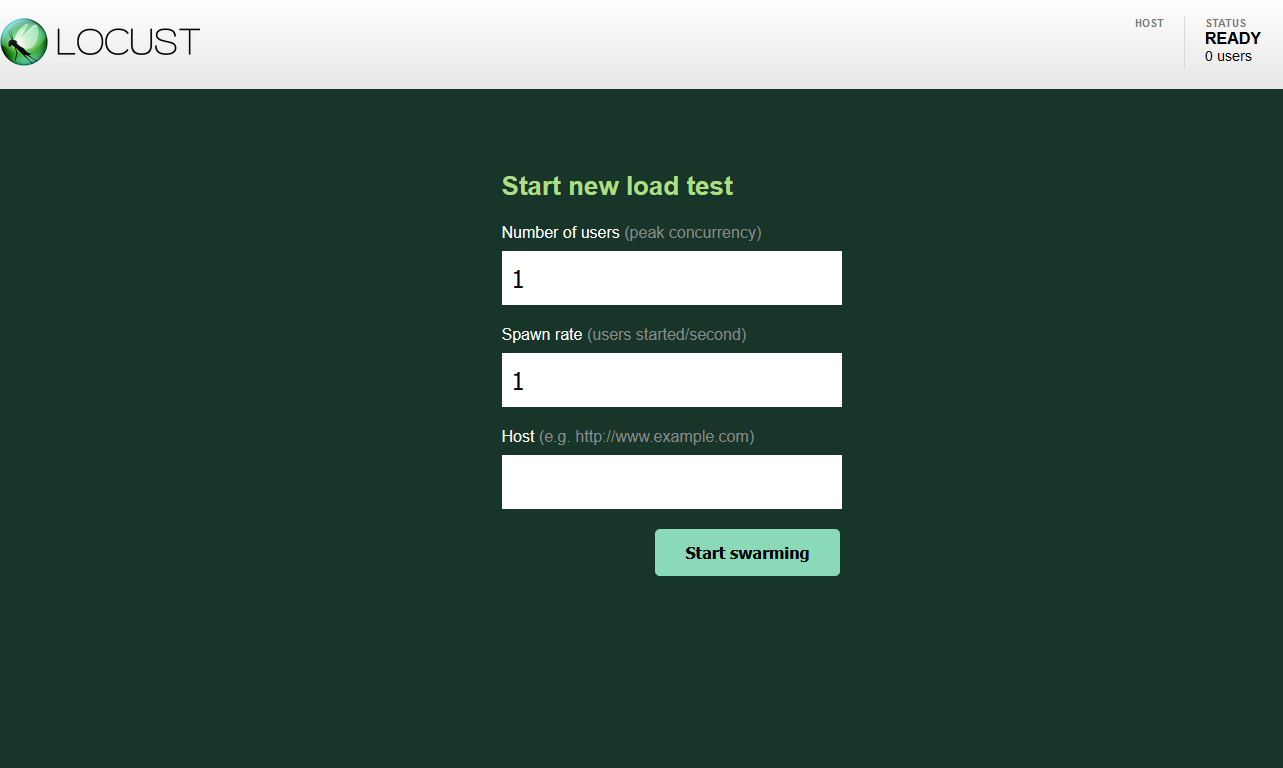
Number of users -> means that how many parallel operations you want to create for load tests.
Spawn rate -> means how many parallel process you want to create in a second.
Host -> This should be the endpoint that you will load test.
After you press “Start Swarming” button load test operation will be started.
I created a minimal API application for testing purposes in .NET. It is default template that uses new .NET 6 minimal API.
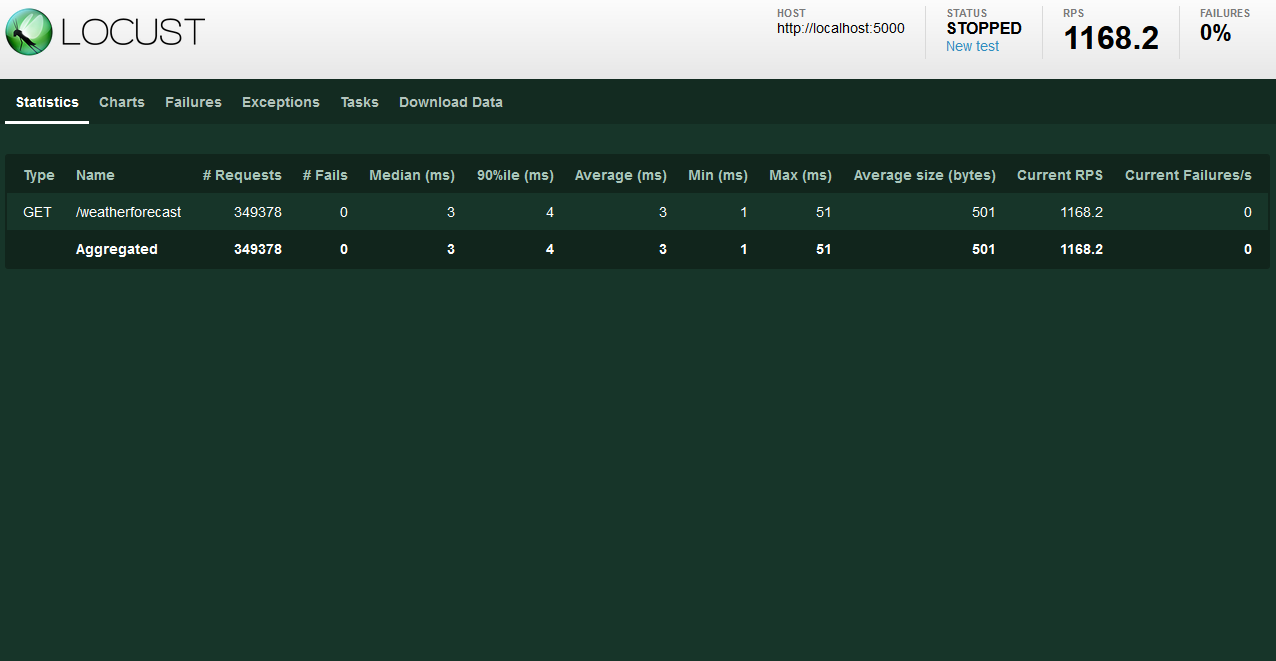
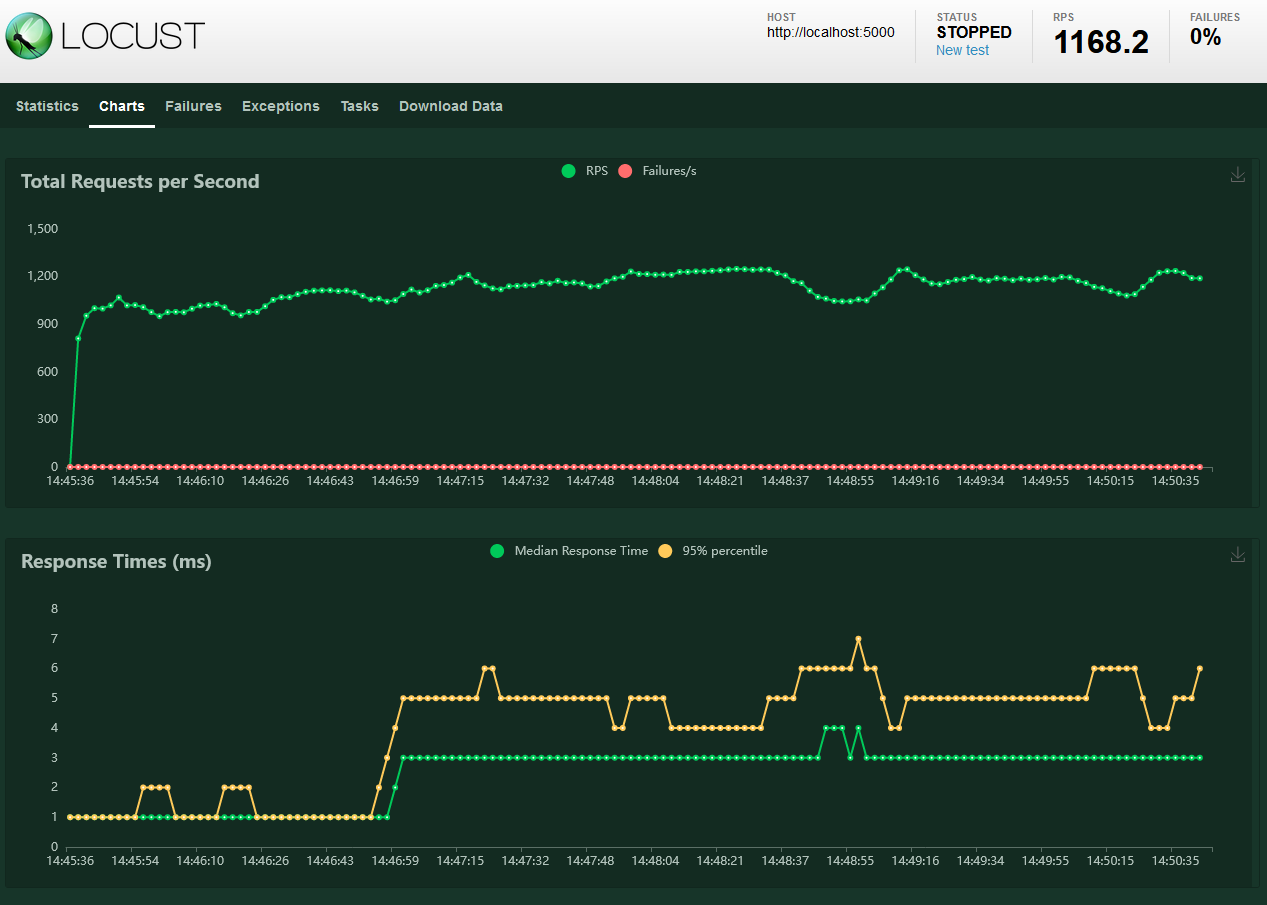
After you pressed “Start Swarming” you should see load test is started and request per seconds values are calculated. There is also nice charts in the charts tab. You should definitely check that it provides nice information about your load testing process.
Conclusion
We explored locust load testing framework based on Python.
It provides much more freedom to developers who want to test their APIs. Unlike SoapUI or JMeter you can create complete load testing pipeline since Locust is actually a Python program itself. Also locust is built on top of HTTP that is why you can create load tests for all kind of API that use HTTP underlying.
For getting more info about locust be sure the check the documentation it is pretty solid.
And If you have another question about it feel free to reach me out. I try to help